![Nojumi_Logo_Screen_RGB.png]](https://help.nojumi.com/hs-fs/hubfs/Nojumi_Logo_Screen_RGB.png?width=200&height=70&name=Nojumi_Logo_Screen_RGB.png)
-
Matching Payments: You can match a payment on your credit card or a payment on the general account directly with an expense account
-
Transaction Rules: You can set up automated rules to categorize and log recurring bank feed transactions.
-
Manual Entry: You can manually create a new expense record from scratch.
This page covers the manual entry method. To manually add an expense, follow these quick steps:
- Navigate to Accounting and select Accounts Payable
- Click on the Expenses tab
- Click + Add Expense in the top right corner of your screen
- Fill in the required expense details
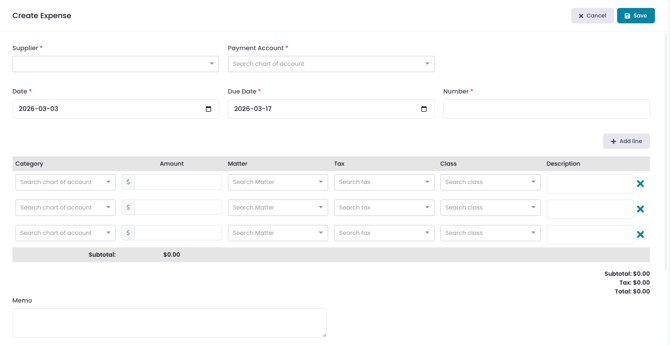
- Click save