![Nojumi_Logo_Screen_RGB.png]](https://help.nojumi.com/hs-fs/hubfs/Nojumi_Logo_Screen_RGB.png?width=200&height=70&name=Nojumi_Logo_Screen_RGB.png)
To match credit card expenses and general account withdrawals
- Under Accounting, click on Bank Accounts and select the credit card account or the general account
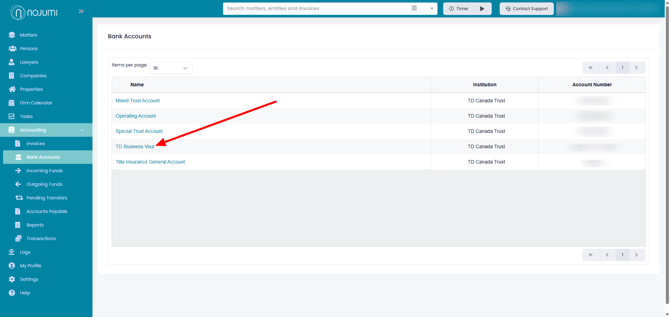
- Under the Bank Feed tab, click on Match for the credit card or the general account payment that you wish to match with a new Expense
-png.png?width=670&height=352&name=Bank%20Accounts%20(1)-png.png)
- In the section that expands, possible matches with existing Expenses, Bills and Bill Payments will be shown. If no match is found, click on Create new expense.
-png.png?width=670&height=317&name=Bank%20Accounts%20(2)-png.png)
- Select the Category, enter the Supplier and indicate if the payment is inclusive of HST and click on Match with new expense
-png.png?width=670&height=317&name=Bank%20Accounts%20(3)-png.png)