![Nojumi_Logo_Screen_RGB.png]](https://help.nojumi.com/hs-fs/hubfs/Nojumi_Logo_Screen_RGB.png?width=200&height=70&name=Nojumi_Logo_Screen_RGB.png)
1. Add a residue.
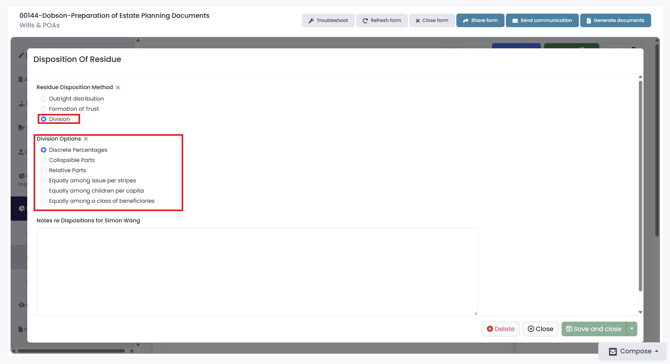
2. Double click on the node you wish to add shares too and select "Division", then select your "Division Option".
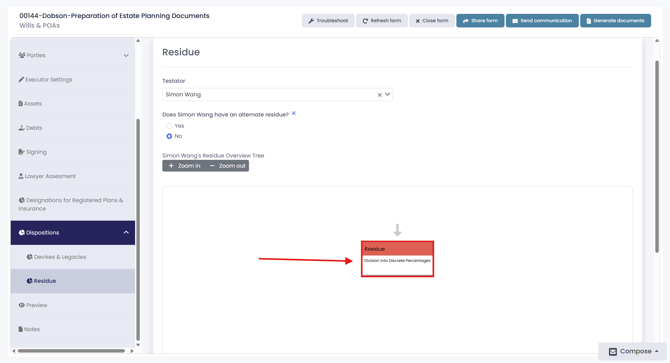
3. Single-click on the node to open view mode.
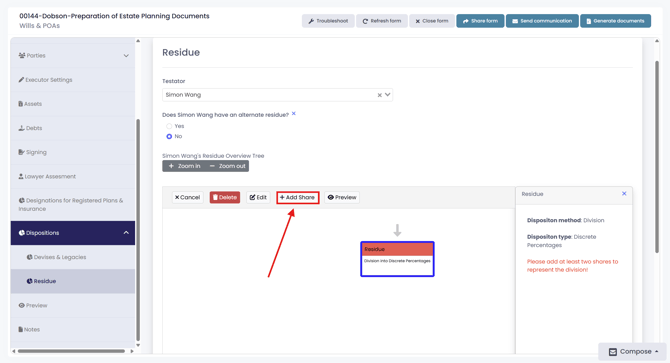
4. Click "Add Share" to create a new share. You may add as many shares as required.