![Nojumi_Logo_Screen_RGB.png]](https://help.nojumi.com/hs-fs/hubfs/Nojumi_Logo_Screen_RGB.png?width=200&height=70&name=Nojumi_Logo_Screen_RGB.png)
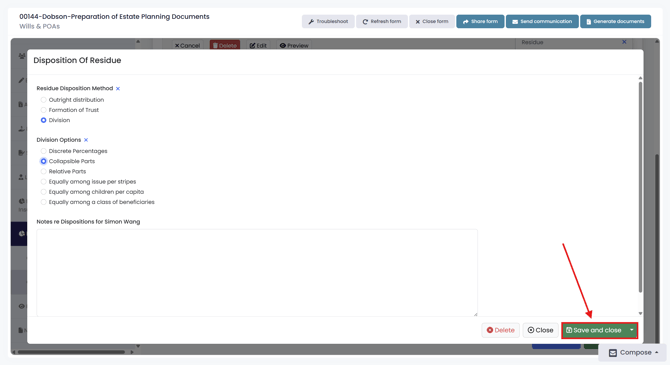
A Division is a residue distribution method that splits the residue into separate portions. Unlike Outright Distribution and Formation of Trust, Division is not a terminal node and requires additional residue distributions to be created beneath it. Nojumi provides six different division methods that can be used to further structure how the residue is distributed.
Division Methods
1) Discrete Percentages
2) Collapsible Parts
3) Relative Parts
4) Equally among issue per stirpes
5) Equally among children per capita
Detailed Division Methods
1) Discrete Percentages
Discrete Percentages divides the residue into specific percentage shares assigned to each distribution. The total percentage across all shares must equal 100%, allowing you to control how much residue should be in each share. Once Discrete Percentages is selected, you will be able to create individual shares and specify both the share name and share percentage for each one.
2) Collapsible Parts
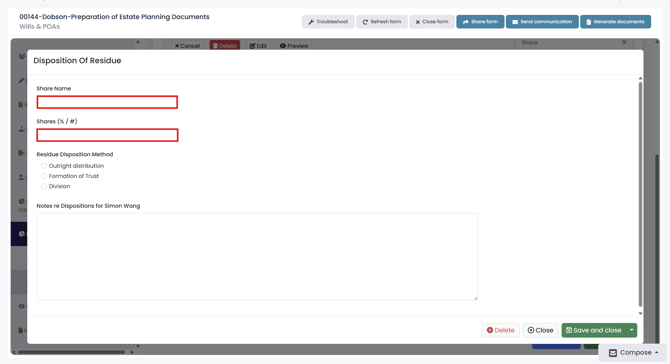
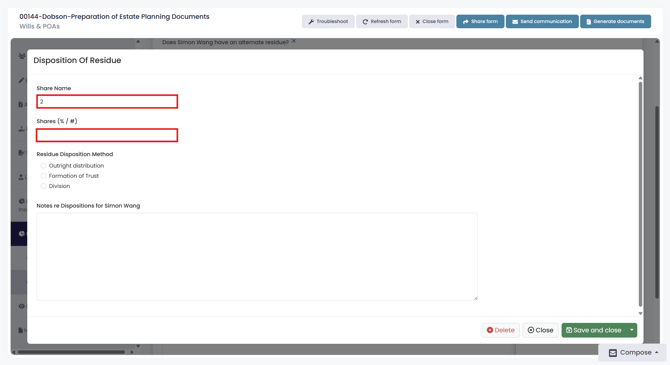
Collapsible Parts divides the residue into a specified number of equal parts that can later collapse into the remaining parts if one part fails or cannot be distributed. This method is commonly used to simplify distributions among multiple beneficiaries where the part of a deceased beneficiary is collapsed and given to the remaining beneficiaries. If a part collapses, its value is redistributed among the remaining valid parts. Once Collapsible Parts is selected, you will be able to create individual parts and specify both the share name and share percentage for each one.
3) Relative Parts
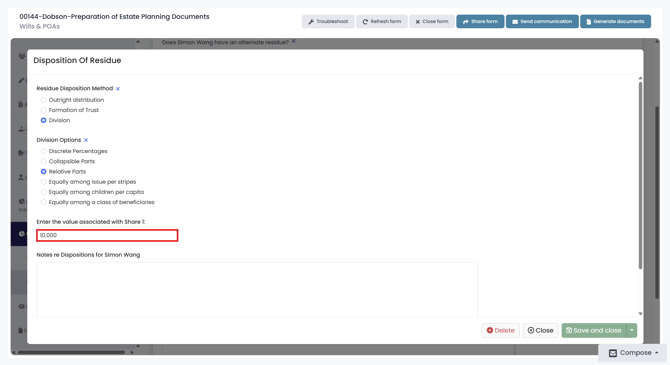
Relative Parts divides the residue into two parts using a proportional value. You can only create two parts: one with a fixed relative value, and a second that automatically receives the remaining balance. The system uses the values you enter to calculate how the residue is split between the two parts.
4) Equally among issue per stirpes
Equally Among Issue per Stirpes distributes a share equally among the direct descendants of the testator if they are alive and if a direct descendant is not alive but has left children surviving and then alive, the deceased beneficiary's share is equally distributed among his or her direct descendants. This ensures that if a beneficiary has passed away, their share is passed down to their children in equal portions rather than being redistributed to other beneficiaries. Once Equally Among Issue per Stirpes is selected, you will be able to create individual shares and specify both the share name and share percentage for each one.
5) Equally among children per capita
Equally Among Children per Capita distributes the residue equally among all living children of a beneficiary. Each eligible child receives an equal share of the estate, and the distribution is calculated based only on the number of surviving children at the time of distribution. This means that if a child of the testator has passed away, his or her share will be divided equally among his or her siblings regardless of whether the deceased child has children of his or her own.
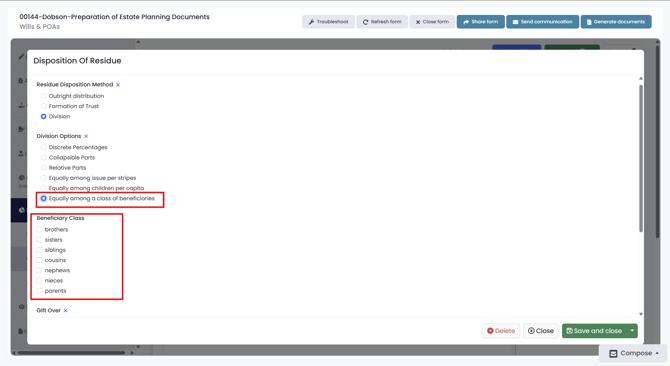
6) Equally among a class of beneficiaries
Equally Among a Class of Beneficiaries distributes the residue equally among all beneficiaries belonging to a specified class. Rather than naming individual beneficiaries, this method allows you to define a group of beneficiaries who meet certain criteria and have each eligible member receive an equal share of the distribution. The beneficiary groups are as follows.
a) Brothers
b) Sisters
c) Siblings
d) Cousins
e) Nephews
f) Nieces
g) Parents
You can choose one or more beneficiary classes to receive the distribution. If multiple classes are selected, all qualifying beneficiaries across the selected classes will be included in the distribution and the residue will be divided equally among them.
Steps to Complete a Residue Division
1. Add a residue and select "Division"
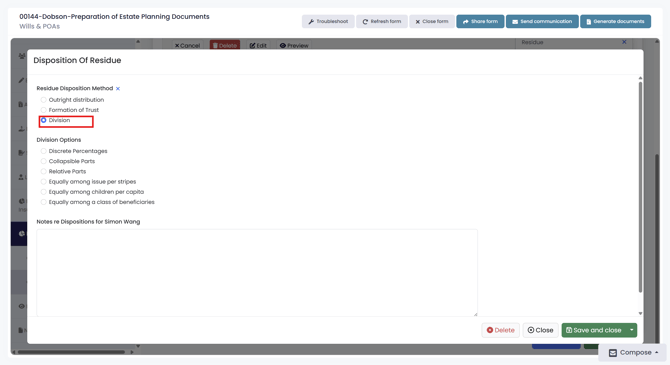
2. Select the division option, complete the required information, then click “Save and Close.” Then add a share and continue the residue.