![Nojumi_Logo_Screen_RGB.png]](https://help.nojumi.com/hs-fs/hubfs/Nojumi_Logo_Screen_RGB.png?width=200&height=70&name=Nojumi_Logo_Screen_RGB.png)
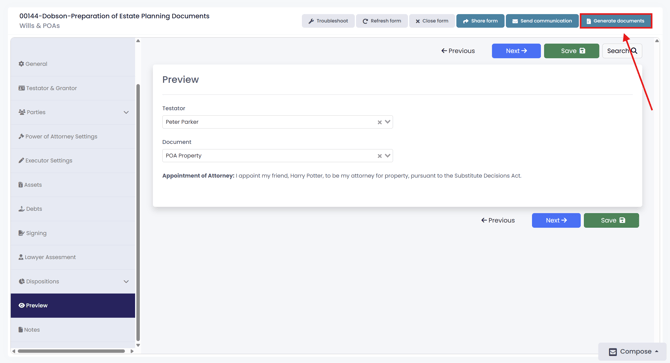
1. Open the Wills and POAs Form.
2. Click on "Generate documents"
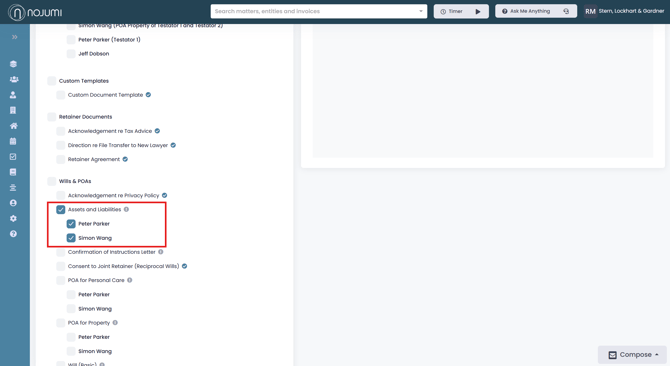
3. Select “Assets and Liabilities” for the testator or testators you would like to generate the list for.
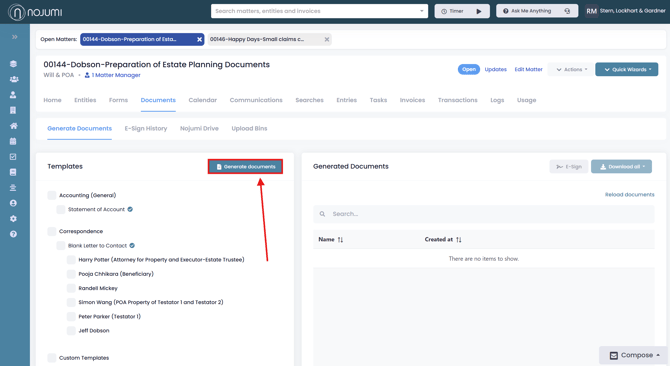
4. Then click "Generate documents"
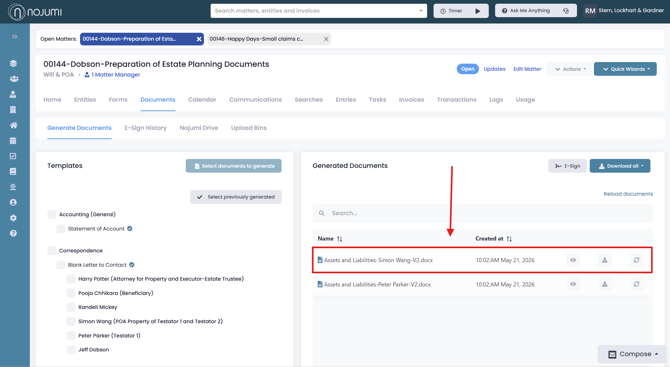
5. The completed documents will appear in the "Generated Documents" section, here you will be able to view, download, or regenerate the document.