![Nojumi_Logo_Screen_RGB.png]](https://help.nojumi.com/hs-fs/hubfs/Nojumi_Logo_Screen_RGB.png?width=200&height=70&name=Nojumi_Logo_Screen_RGB.png)
How to start the timer
-
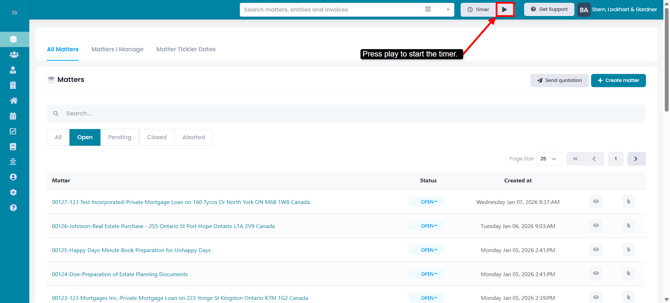
To start the timer, click on the Play button to the right of the timer.
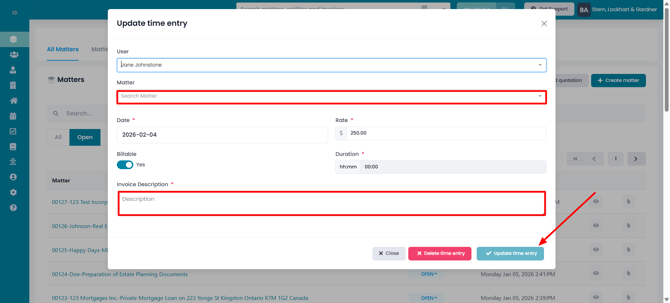
- In the modal that appears, select the matter and enter the description of the work you are completing and click on update time entry
How to Stop the Timer
-
When the timer is running you would see it running in light blue
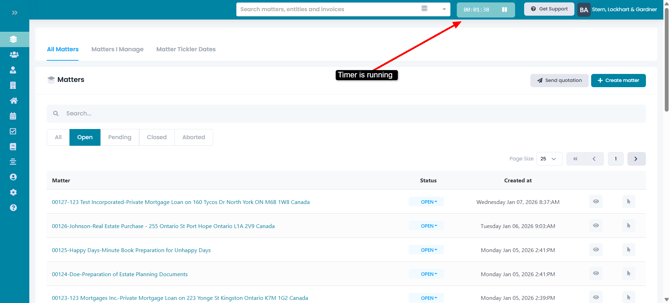
- To pause the timer, click on the pause button. As soon as you pause the timer, a time entry with that value is added to the matter, which can be invoiced.