![Nojumi_Logo_Screen_RGB.png]](https://help.nojumi.com/hs-fs/hubfs/Nojumi_Logo_Screen_RGB.png?width=200&height=70&name=Nojumi_Logo_Screen_RGB.png)
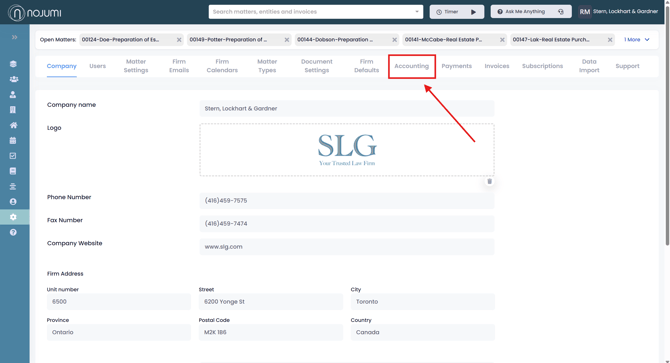
1. Open the sidebar, and click on "Settings"
2. Click on "Accounting"
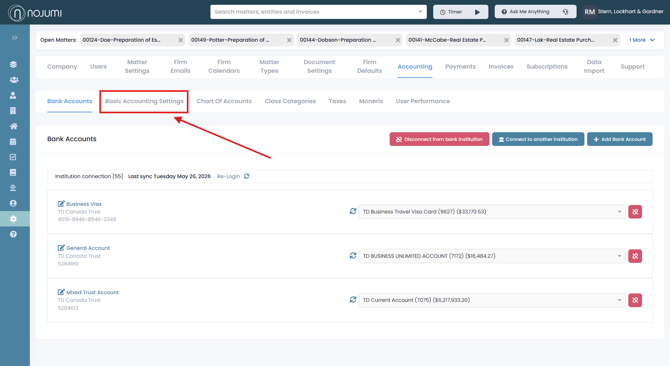
3. Click on "Basic Accounting Settings"
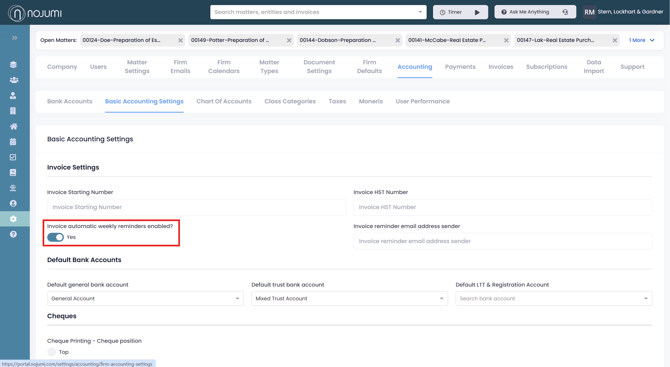
4. Toggle on “Invoice automatic weekly reminders” to send weekly payment reminders to the clients until the invoice has been paid. Once the invoice is marked as paid, the reminders will automatically stop.