![Nojumi_Logo_Screen_RGB.png]](https://help.nojumi.com/hs-fs/hubfs/Nojumi_Logo_Screen_RGB.png?width=200&height=70&name=Nojumi_Logo_Screen_RGB.png)
A matter transfer is a transfer from one of your matters to another matter, typically both belonging to the same client. A matter transfer is a single transaction that appears in both matters. This means when a matter transfer is added, a withdrawal will show in the source matter and a corresponding deposit will appear in the destination matter, but the withdrawal and the deposit are both part of the same transfer transaction. When the transfer is deleted the withdrawal in the source matter and the deposit in the destination matter are deleted.
You should note that matter transfers don't have a counterpart in the bank feed and never get matched with a bankfeed transaction. The reason for this is that in a matter to matter transaction, the funds are not leaving the bank account and are instead being assigned to a different matter.
How to add a Matter Transfer
There are two ways to transfer funds belonging to a matter to another matter
- Request & Approval Method - This method is often used by firms where a user requests the transfer, and another user is in charge of approving and completing the transfer.
- Direct Transfer Method - This method circumvents the request-approval process and directly adds the transfer. This method is often used when there is one user involved in the completion of the transfer, and when the transfer is being completed in the moment or when it has already been completed but it was not recorded.
Request & Approval Method
To request a matter transfer
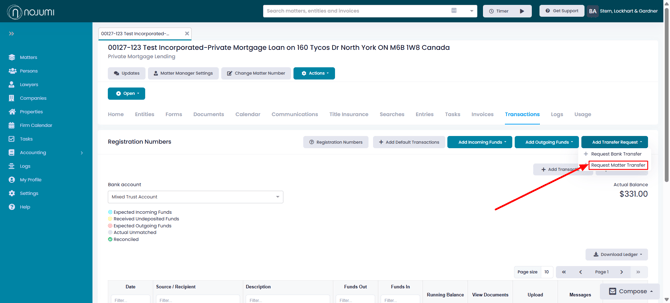
- Browse the Matter Transactions Page click on Add Transfer Request and select Request Matter Transfer
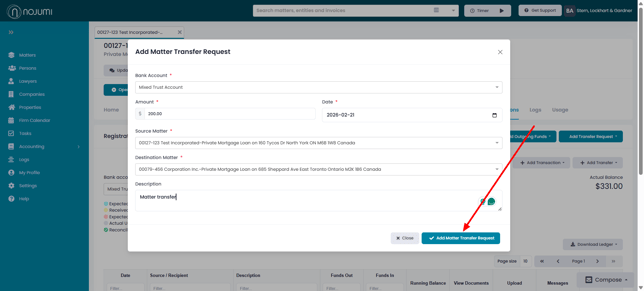
- Select the source matter, the destination matter and enter the amount and the description of the transfer and click on Add Matter Transfer Request
To approve and complete a matter transfer request
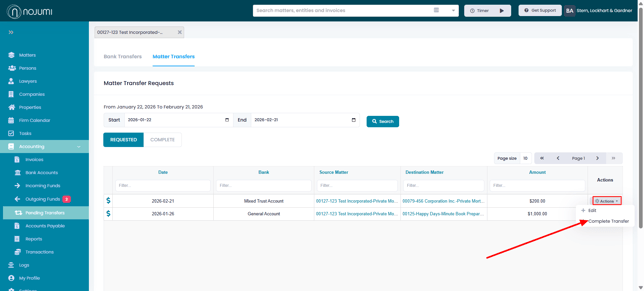
- Browse the Matter Transfer tab of the Pending Transfers Page
- Click on Actions next to the matter transfer request that you wish to approve and click on Complete Transfer
Direct Transfer Method
To directly add a matter transfer
- Browse the Matter Transactions Page and click on Add Transfer and select Matter Transfer
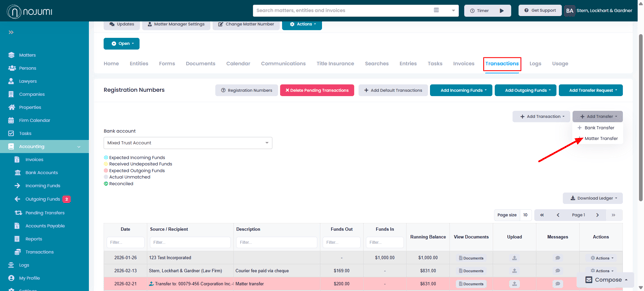
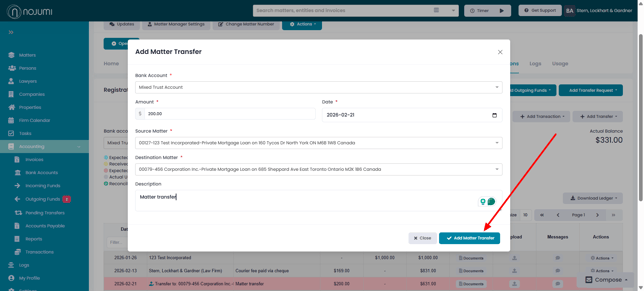
- Select the source matter, the destination matter, and enter the amount and the description of the transfer, and click on Add Matter Transfer