![Nojumi_Logo_Screen_RGB.png]](https://help.nojumi.com/hs-fs/hubfs/Nojumi_Logo_Screen_RGB.png?width=200&height=70&name=Nojumi_Logo_Screen_RGB.png)
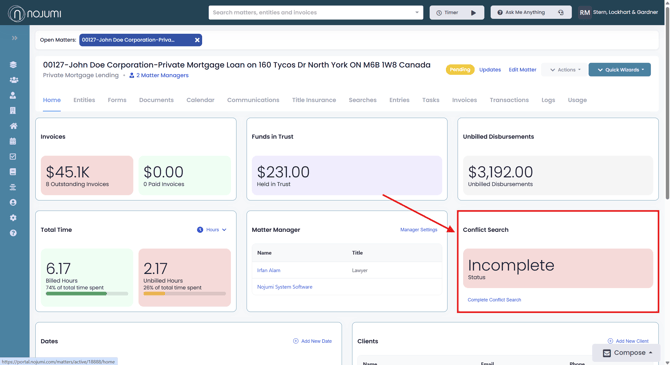
Below is a detailed overview of the information and features available on the dashboard.
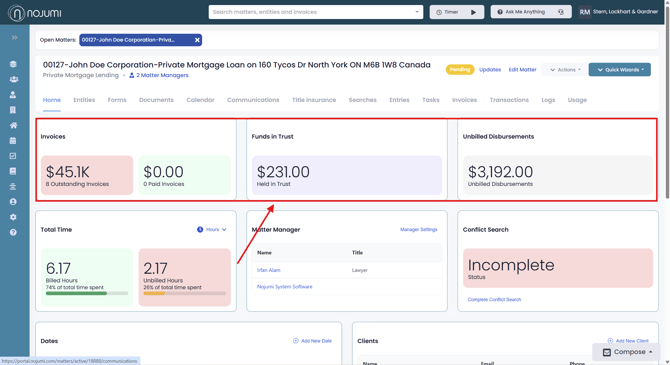
1) Financials
At the top of the Matter Dashboard, you can view a summary of the matter's financial information, including outstanding and paid invoices, total funds held in trust, and unbilled disbursements. This provides a quick overview of the matter's financial status at a glance.
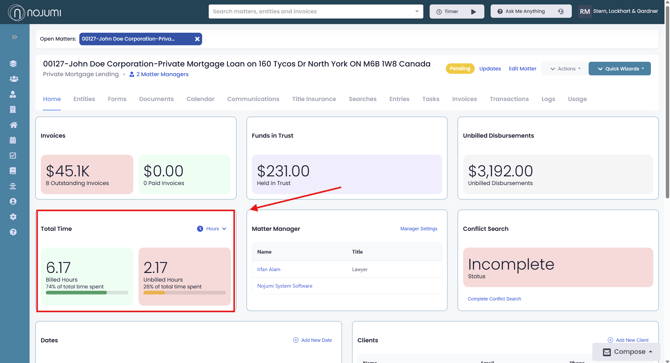
2) Total Time
Just below the financial summary, you can track time recorded on the matter, including both billed and unbilled hours. This provides a quick overview of the work completed and any time that has yet to be invoiced.
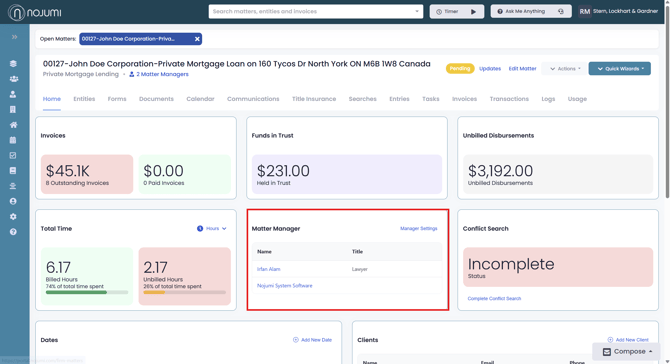
3) Matter Manager
You can quickly identify the assigned Matter Manager, making it easy to see who is responsible for overseeing and managing the matter.
4) Conflict Search
Verify the conflict search status of the matter to ensure that any potential conflicts have been identified and addressed, helping maintain compliance with professional obligations.
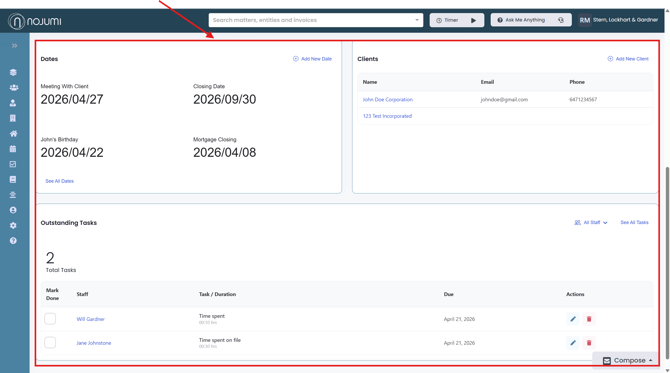
5) Key Information
View important matter details at a glance, including key dates, client contact information, and upcoming tasks, helping you stay organized and up to date on the progress of the matter.