![Nojumi_Logo_Screen_RGB.png]](https://help.nojumi.com/hs-fs/hubfs/Nojumi_Logo_Screen_RGB.png?width=200&height=70&name=Nojumi_Logo_Screen_RGB.png)
To set a custom hourly rate for a matter
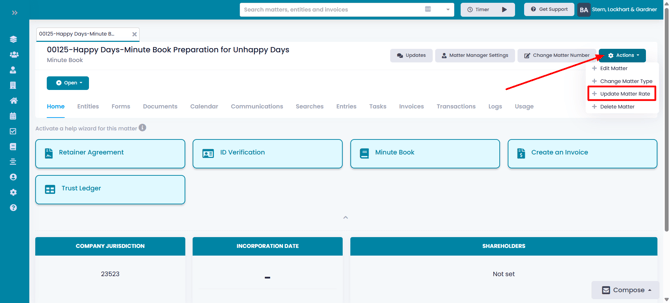
- When viewing the matter, click on Actions and select Update Matter Rate
- In the modal that appears set the custom rates for each of the users and click on Save
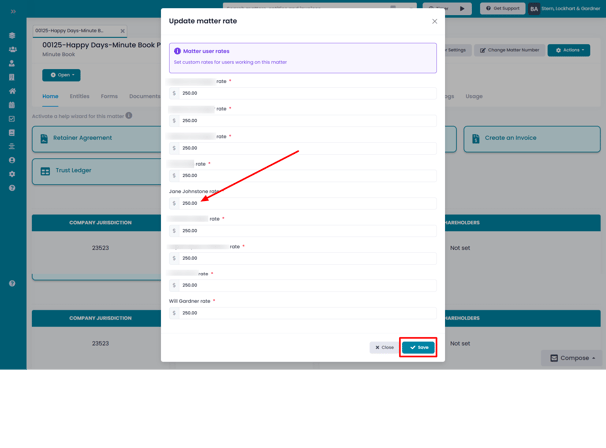
All time added to the matter will now have the updated hourly rates.