![Nojumi_Logo_Screen_RGB.png]](https://help.nojumi.com/hs-fs/hubfs/Nojumi_Logo_Screen_RGB.png?width=200&height=70&name=Nojumi_Logo_Screen_RGB.png)
Clients may want to use different email addresses for different matters. Nojumi makes this easy by allowing you to set a default email for your clients for each individual matter. Setting a default email helps ensure communication is sent to the correct address, saving time and reducing the risk of sending messages to the wrong place.
1. Open the matter entities page.
2. Click the "role" of the entity you wish to set the default email for.
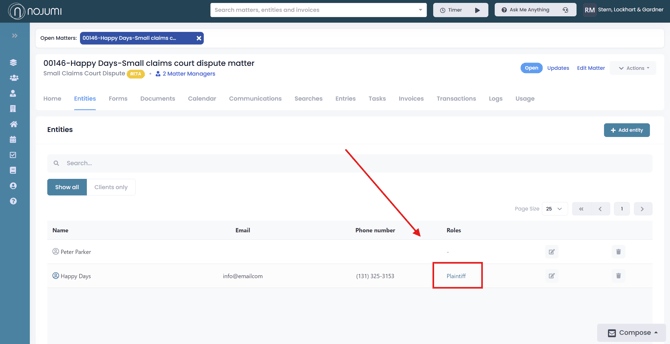
3. From the update matter contact tab that appears, select default email.
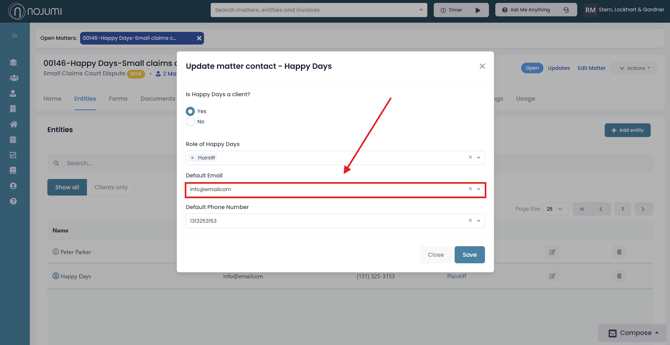
4. Here you can select the email you wish to set as the default, and then click save.