![Nojumi_Logo_Screen_RGB.png]](https://help.nojumi.com/hs-fs/hubfs/Nojumi_Logo_Screen_RGB.png?width=200&height=70&name=Nojumi_Logo_Screen_RGB.png)
When you add a requested trust fund to your bank account, Nojumi will add it to the matter transactions page as an expected incoming fund, not an actual transaction. Note: in order to use this functionality, you must have set up the Moneris integration.
1. Open the matter transactions page
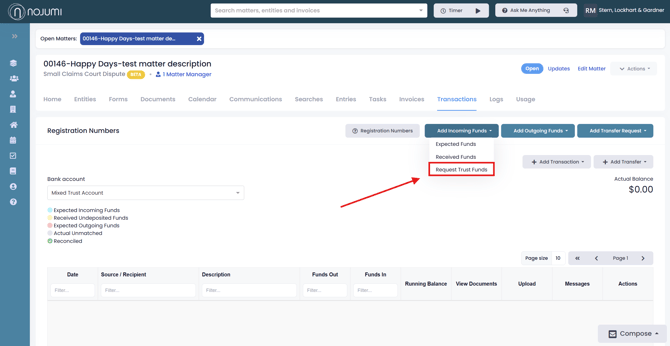
2. Click on Add Incoming Funds and select Request Trust Funds
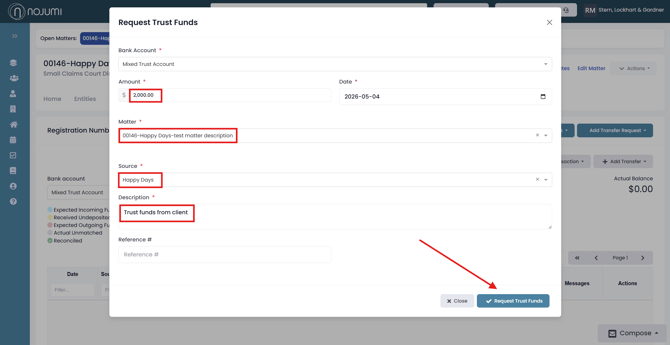
3. Complete the Request Trust Funds tab by entering the transaction information and clicking on Request Trust Funds
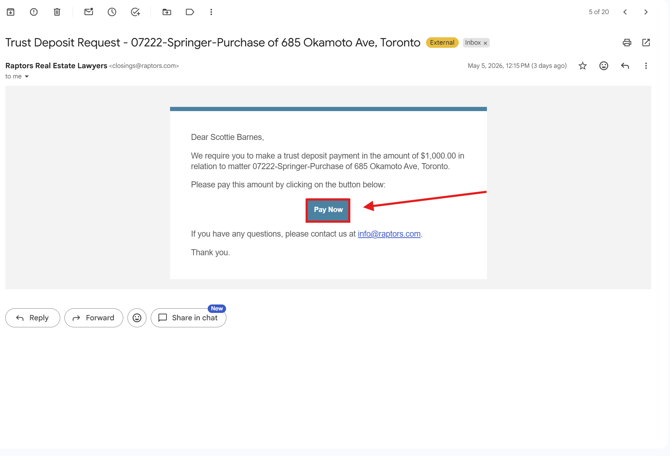
4. Clicking "Request Trust Funds" sends your client a credit card payment request to their email address. Your client will then be able to click "Pay Now" when they are ready to make the payment
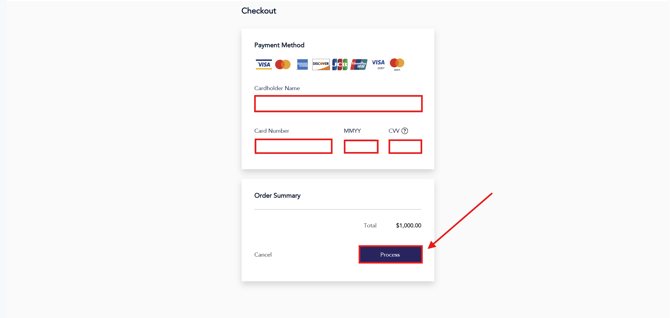
5. Once the client clicks ‘Pay Now,’ a new tab will open where they can enter their credit card information and review the order summary. When finished, they can click ‘Proceed’ to complete the payment request.
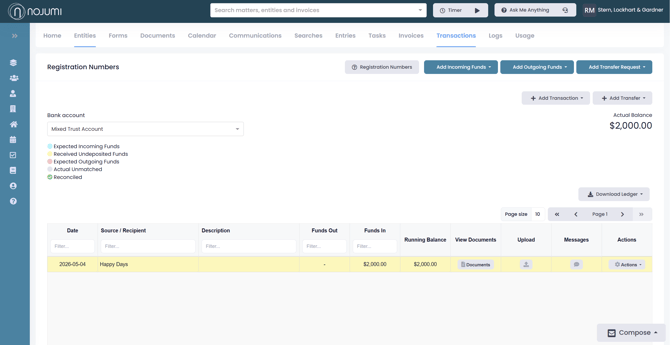
6. Before the payment is received, the transaction will be added in blue to reflect that it is an expected transaction and not an actual transaction, this means the projected balance of the matter increases, but the actual balance remains unchanged.
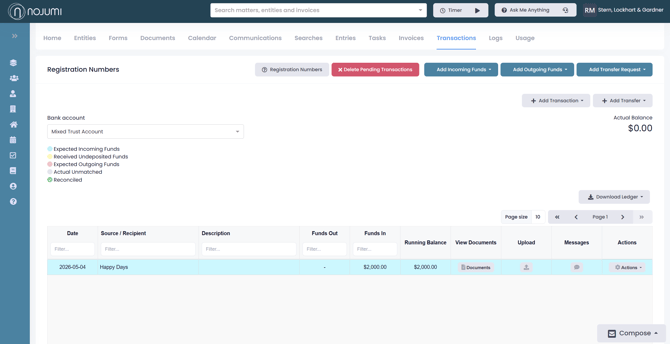
7. Once the payment is received, the transaction will turn yellow and your actual balance will increase. This process ensures that transactions are automatically matched to the correct matter, so you don’t need to manually match them in your bank feed.