![Nojumi_Logo_Screen_RGB.png]](https://help.nojumi.com/hs-fs/hubfs/Nojumi_Logo_Screen_RGB.png?width=200&height=70&name=Nojumi_Logo_Screen_RGB.png)
If you are going to make a payment out of your general account related to a disbursement for a matter, you will have to take the following steps:
1. Go to the matter transactions page.
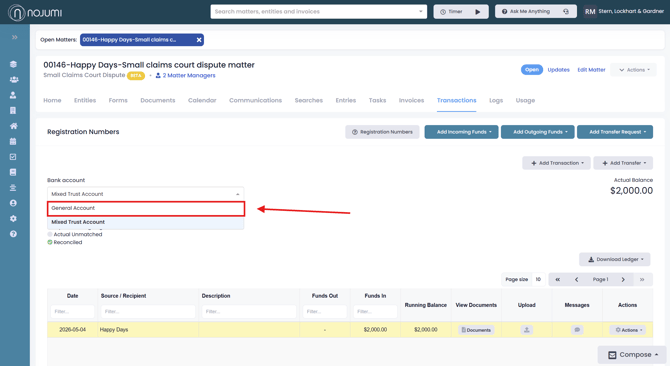
2. Click the bank account dropdown and select general account
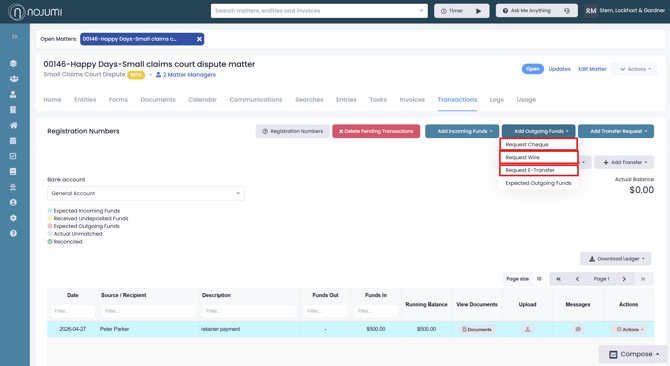
3. Click "Add Outgoing Funds", then select either request cheque, request wire, or request E-transfer.
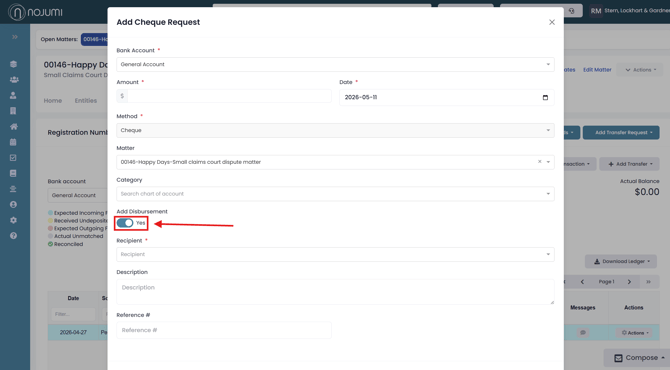
4. Fill out the information and ensure you click "Add Disbursement" then complete the request. This will create a ghost transaction to keep the matter balances accurate and prevent the General account balance from going negative.