![Nojumi_Logo_Screen_RGB.png]](https://help.nojumi.com/hs-fs/hubfs/Nojumi_Logo_Screen_RGB.png?width=200&height=70&name=Nojumi_Logo_Screen_RGB.png)
To record an received transaction, take the following steps
- If the received fund is an email transfer, accept it in your bank
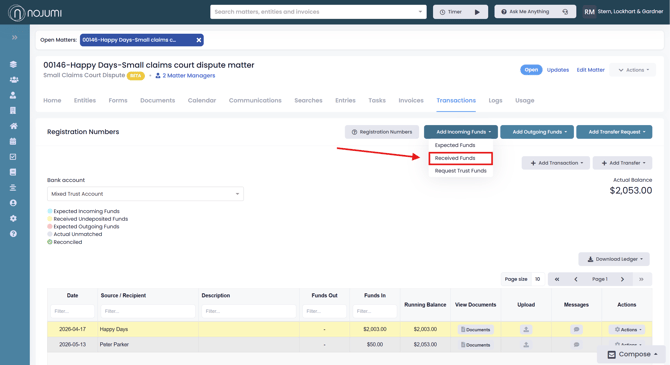
- Browse the Matter Transactions Page and click on Add Incoming Funds and select Received Funds
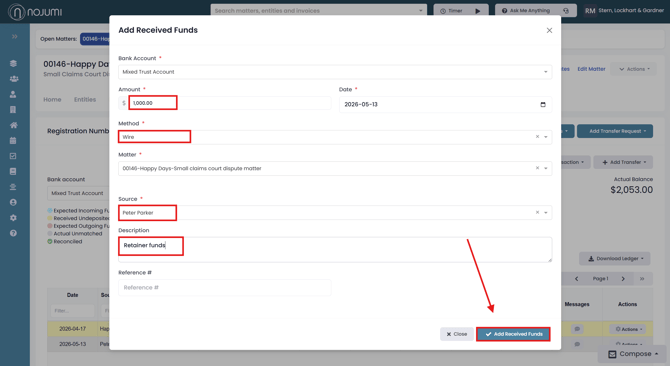
- In the modal that appears, enter the amount, select the method of the transaction, enter the name of the Source, and add a description for the payment. When finished click on Add Received Funds.
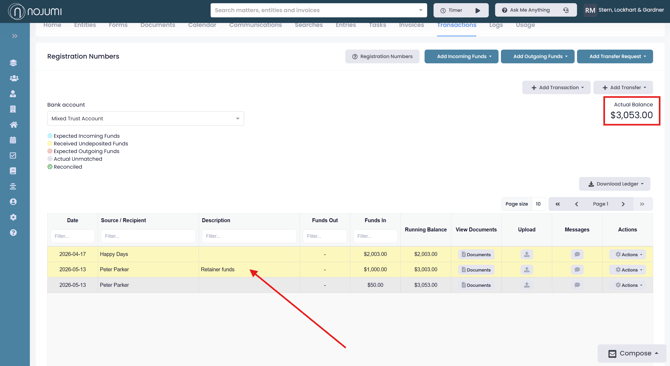
- You will then see the received payment appearing in yellow, which reflects that while it has been received, it has not been matched with a transaction in the bank yet. You will also note that the actual balance is increased by the amount of the received payment.
- Once the funds show up in your bank feed, you will be able to match the transaction with the bank feed.