![Nojumi_Logo_Screen_RGB.png]](https://help.nojumi.com/hs-fs/hubfs/Nojumi_Logo_Screen_RGB.png?width=200&height=70&name=Nojumi_Logo_Screen_RGB.png)
1. Open and complete the Wills and POAs Form.
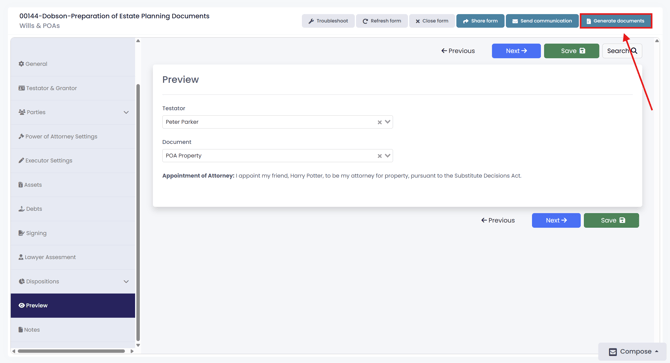
2. Click on "Generate documents"
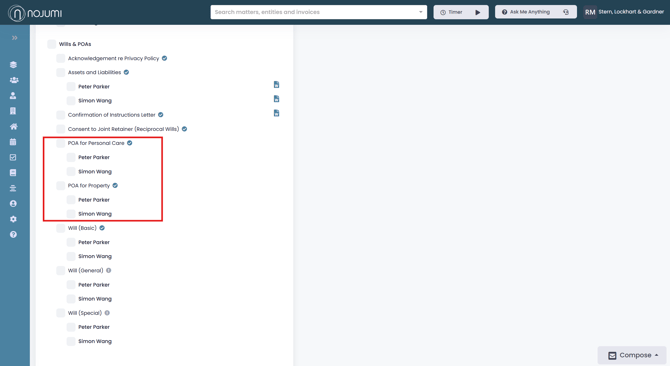
3. Select "POA for personal care" or "POA for property" for the desired testators.
4. Then click "Generate documents"
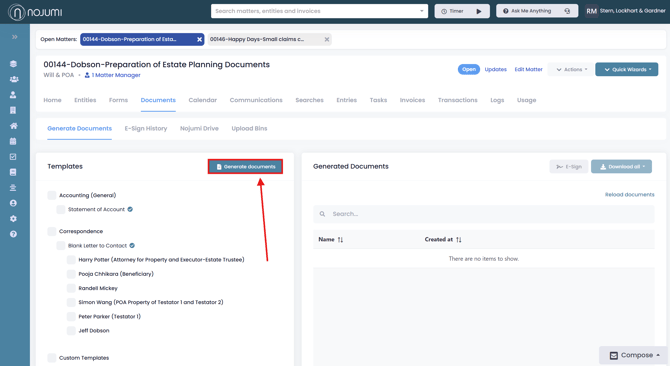
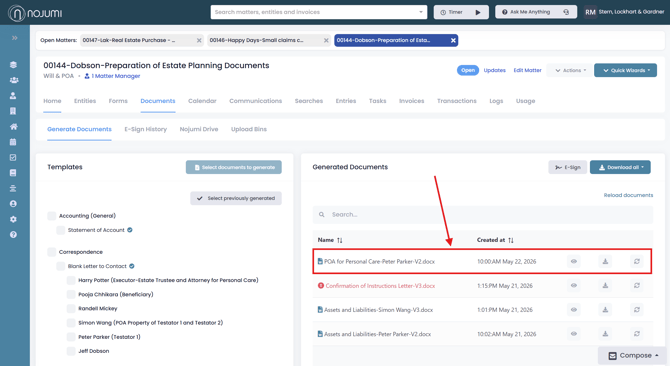
5. The completed documents will appear in the "Generated Documents" section, here you will be able to view, download, or regenerate the document.
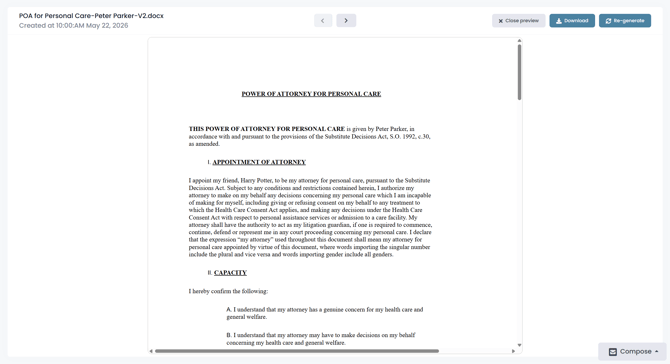
6. Here is a preview of the document. Note: Any text highlighted in red indicates a missing field that must be completed before regenerating the document.