![Nojumi_Logo_Screen_RGB.png]](https://help.nojumi.com/hs-fs/hubfs/Nojumi_Logo_Screen_RGB.png?width=200&height=70&name=Nojumi_Logo_Screen_RGB.png)
Retainer Agreement Settings
The Retainer Agreement Settings form contains the general firm-wide settings for your retainer agreements.
- Click on Settings on the sidebar, select Firm Defaults, and click on Retainer Agreement Settings
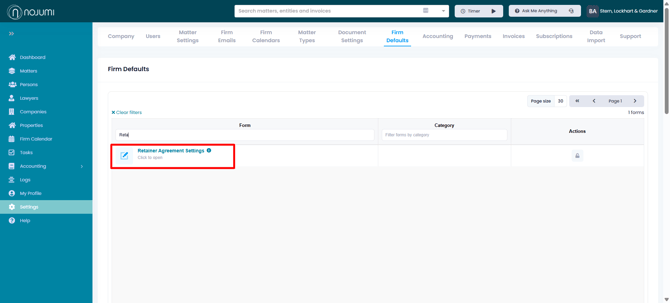
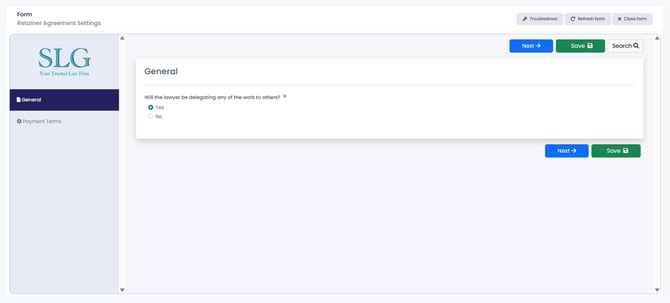
- On the General tab specify whether the lawyer will be delegating any work to other in the firm. If you select yes, language will be added indicating that the lawyer may utilize others in the firm to assist.
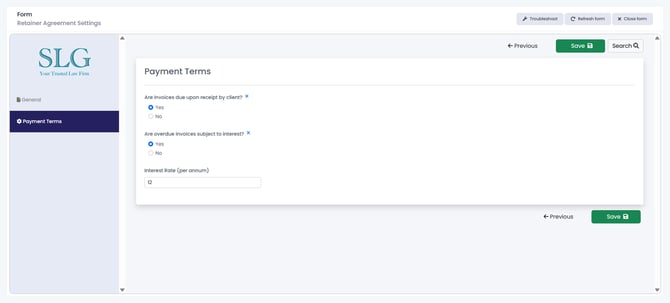
- On the Payment Terms tab, specify whether invoices are due upon receipt, and if not, when they shall be due. Also specify whether outstanding invoices are to be subject to interest.
Legal Fee Configurations
The Legal Fee Configurations are used to customize the retainer agreements for each matter type. If you have pre-defined fees and service descriptions for various matter types, you should configure them on the Legal Fee Configurations form.
Retainer Terms
The Retainer Terms form is used to complete the retainer within the matter.