![Nojumi_Logo_Screen_RGB.png]](https://help.nojumi.com/hs-fs/hubfs/Nojumi_Logo_Screen_RGB.png?width=200&height=70&name=Nojumi_Logo_Screen_RGB.png)
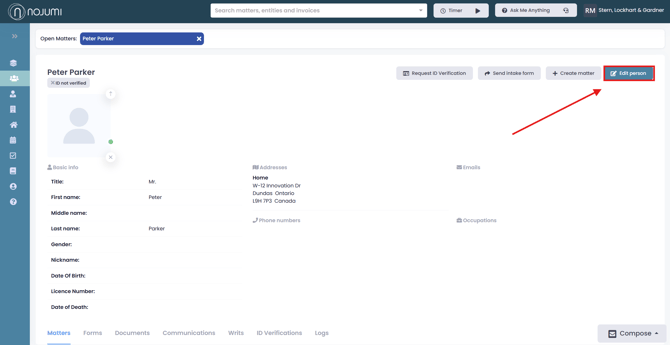
1. Open the Person Profile Page.
2. Click on edit person
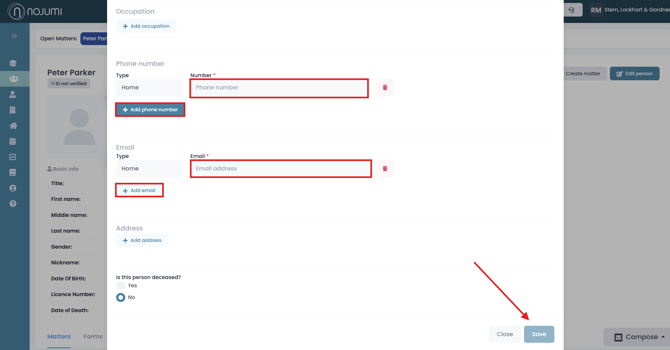
3. Click ‘Add phone number/email’ and enter the details. You can add multiple phone numbers and email addresses for each entity. When finished, click ‘Save.’
1. Open the Person Profile Page.
2. Click on edit person
3. Click ‘Add phone number/email’ and enter the details. You can add multiple phone numbers and email addresses for each entity. When finished, click ‘Save.’