![Nojumi_Logo_Screen_RGB.png]](https://help.nojumi.com/hs-fs/hubfs/Nojumi_Logo_Screen_RGB.png?width=200&height=70&name=Nojumi_Logo_Screen_RGB.png)
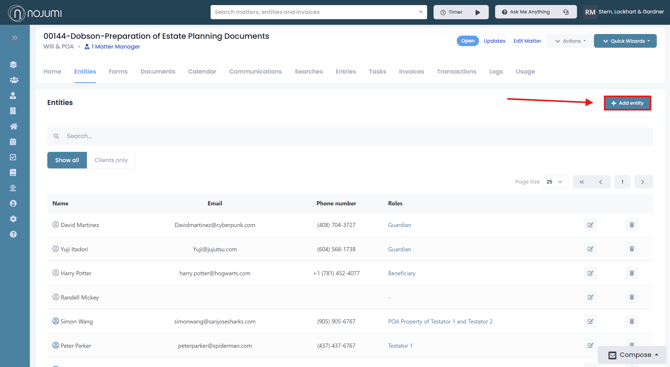
1. Go to the Matter Entities Page.
2. Click on "Add Entity".
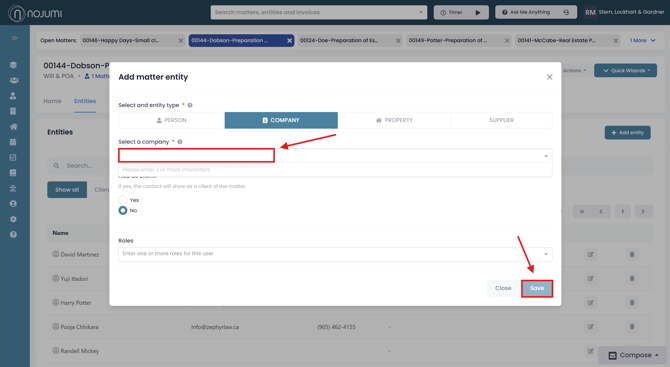
3. In the modal that appears, search for the company using the search bar. If the company has not already been saved, you will have the option to add a new company.
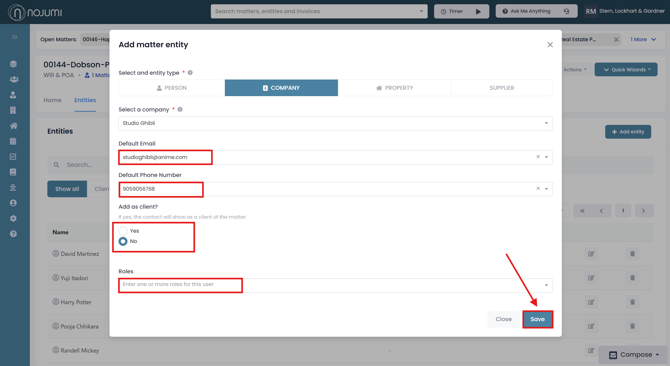
4. Once the company has been entered, you will be able to add a default email address, default phone number, assign the company as a client, and specify the company’s role within the matter. When you are finished click "Save"