![Nojumi_Logo_Screen_RGB.png]](https://help.nojumi.com/hs-fs/hubfs/Nojumi_Logo_Screen_RGB.png?width=200&height=70&name=Nojumi_Logo_Screen_RGB.png)
To set the file type complete the following steps.
1. Open the Wills & POAs Form.
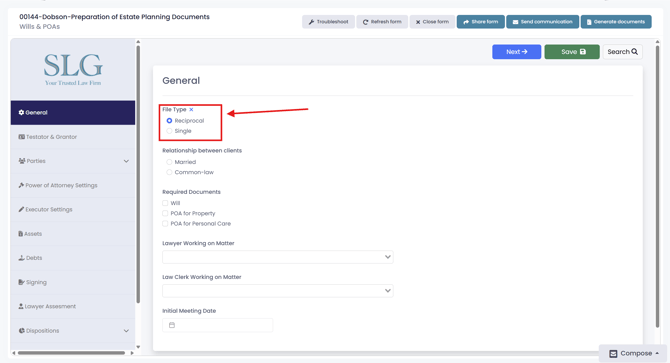
2. Under general, select your file type
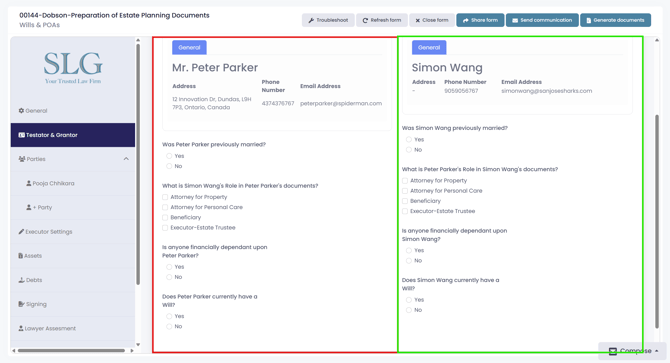
3. If you select a Reciprocal file type, the form will display side-by-side fields for both testators, allowing you to complete the wills or powers of attorney for each client at the same time. This helps make it easier to compare answers and complete matching documents together. In the example below the box highlighted in red is for testator 1, while the box highlighted in green is for testator 2.