![Nojumi_Logo_Screen_RGB.png]](https://help.nojumi.com/hs-fs/hubfs/Nojumi_Logo_Screen_RGB.png?width=200&height=70&name=Nojumi_Logo_Screen_RGB.png)
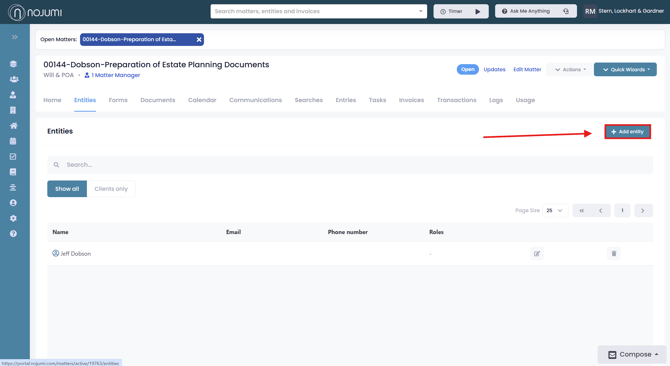
1. Go to the matter entities page, and click "Add Entity"
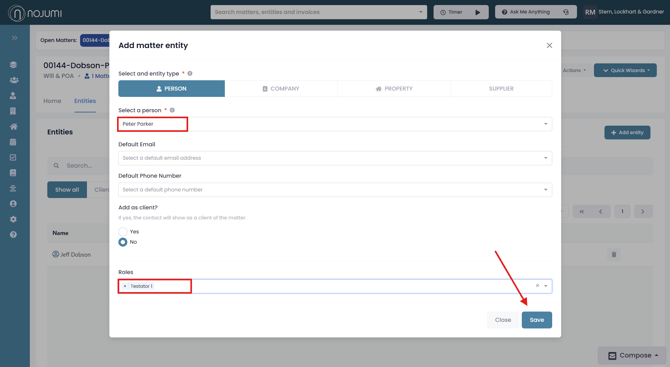
2. Enter the name of the person you wish to add as a testator, then under role select "testator 1" or "testator 2". Here you may also set a default email or phone number for the entity. When you are finished click "Save".
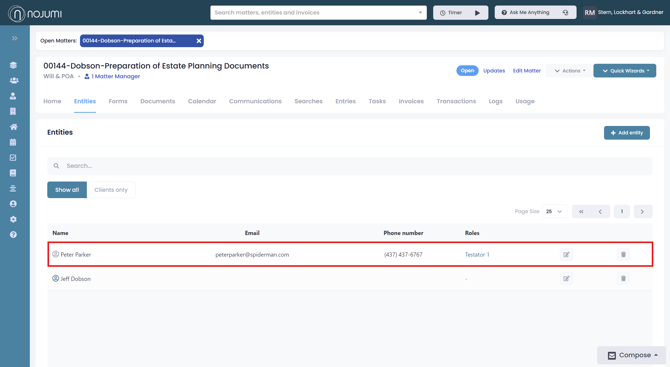
3. Once you save the entity, it will appear listed on the matter entities page, where you can edit or delete the testator at any time.