![Nojumi_Logo_Screen_RGB.png]](https://help.nojumi.com/hs-fs/hubfs/Nojumi_Logo_Screen_RGB.png?width=200&height=70&name=Nojumi_Logo_Screen_RGB.png)
To enter the registration number (instrument number)
-
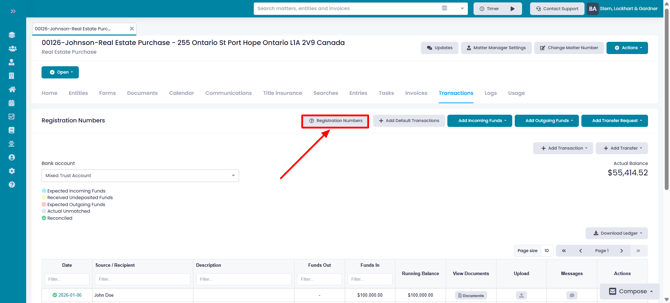
Browse the matter transactions page and click on the Registration Numbers button
- Enter the registration number (instrument number) and click on Add Registration Number
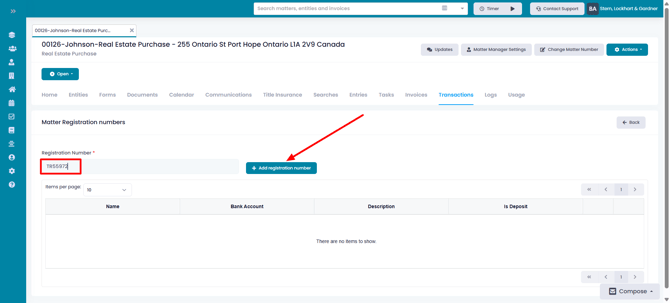
- The registration number wil then appear in the table below.
Once the registration number is added, Nojumi will then monitor the bank feed you have configured as the default account for registrations and land transfer tax and will match the withdrawals by the Ministry of Finance with the appropriate matters.